Ecommerce Payment Processing: A Complete 2026 Guide

If you are setting up an online store, ecommerce payment processing is one of the first things you need to understand – and get right. A clunky or unreliable checkout experience is one of the top reasons customers abandon their carts.
In fact, nearly 70% of online shoppers leave before completing a purchase, and payment friction is a leading cause. Getting your payment setup right from day one is not optional – it is the foundation of every sale you will ever make.
Quick Answer: Ecommerce payment processing is the system that moves money from a customer’s bank account or card to your merchant account when they buy something in your online store. It involves a payment gateway, a payment processor, and a merchant account – all working together in a matter of seconds.
In this guide, you will learn exactly how the process works, which payment methods and gateways are worth using in 2026, what fees to expect, and how to set everything up without overcomplicating it.

What is ecommerce payment processing?
Ecommerce payment processing is the end-to-end system that authorizes, captures, and settles money when a customer pays in your online store. It sounds technical, but at its core it is just the digital equivalent of a card reader in a physical shop – except everything happens online, usually in under three seconds.
The system involves three main components.
First, a payment gateway – this is the software layer that encrypts and transmits the customer’s card data securely. Think of it as the digital handshake between your store and the banking system.
Second, a payment processor – this is the company that actually moves the money, communicating between the customer’s bank (issuing bank) and your bank (acquiring bank) to approve or decline the transaction.
Third, a merchant account – this is a special type of bank account that temporarily holds funds before they are transferred to your regular business account.
In 2026, many providers bundle all three into a single solution. Stripe, PayPal, and Square, for example, handle the gateway, processing, and merchant account functions under one roof. This makes life significantly easier for store owners who do not want to manage multiple providers.
Why this works in 2026: Global ecommerce sales are expected to exceed $7 trillion this year. Payment infrastructure has matured dramatically, meaning even small stores can access enterprise-grade processing tools at low, predictable costs.
How ecommerce payment processing actually works step by step
Understanding the payment flow helps you troubleshoot problems, choose the right provider, and explain things clearly to customers. Here is what happens in the few seconds between a customer clicking “Pay now” and you receiving an order confirmation.
The payment flow from click to confirmation
Step 1 – Customer enters payment details
The customer types their card number, expiry date, and CVV into your checkout form. If your gateway supports it, this data is tokenized immediately – meaning the actual card number is replaced with a random string of characters before it ever touches your server. This is a core part of PCI DSS compliance.
Step 2 – Gateway encrypts and transmits the data
Your payment gateway encrypts the tokenized data using SSL/TLS and sends it to the payment processor. This whole step takes under a second. The customer sees a loading spinner; behind the scenes, a heavily secured data handoff is happening.
Step 3 – Processor requests authorization
The payment processor contacts the customer’s issuing bank (e.g. Chase, Barclays, or whatever bank issued their card) and asks: “Is this card valid? Does the customer have sufficient funds? Does anything look fraudulent?” The issuing bank runs its own checks – including fraud scoring – and sends back an approval or decline code.
Step 4 – Authorization response is returned
The issuing bank’s response travels back through the processor to your gateway, which relays it to your store. If approved, the customer sees your order confirmation page. If declined, they are prompted to try another payment method. The whole round trip typically takes 1–3 seconds.
Step 5 – Funds are captured and settled
Authorization and capture are two separate steps. Authorization reserves the funds; capture actually moves them. Most gateways capture immediately on purchase. Settlement – when funds actually land in your merchant account – usually takes 1–3 business days, depending on your processor and account standing.
The main types of ecommerce payment methods
Offering the right mix of payment methods is one of the most underrated conversion levers in ecommerce. Different customer demographics and different markets have strong preferences. Here is a breakdown of what matters in 2026.
Card payments
Credit and debit cards
Visa and Mastercard remain the dominant payment methods globally, accounting for roughly 40% of all online transactions. American Express has a smaller but high-value customer base. Card payments are processed via the flow described above, and most payment gateways handle them out of the box. Chargebacks – where a customer disputes a charge with their bank – are the main risk to manage.
Earning potential: Stores accepting all major cards typically see 15–25% higher conversion rates than those accepting cards only from a single network.
Virtual cards and digital wallets
Apple Pay, Google Pay, and Samsung Pay have grown substantially and now account for a significant share of mobile checkout completions. These wallets use tokenization and biometric authentication, making them faster and more secure than typing card details. If your store gets significant mobile traffic – and in 2026, most stores do – enabling these wallets is not optional.
Important note: Wallet payment adoption varies by region. Apple Pay is dominant in the US and UK; Google Pay performs strongly across Android-heavy markets in Southeast Asia and Latin America.
Alternative payment methods
PayPal
PayPal remains one of the most trusted names in online payments, with over 400 million active accounts globally. For many customers – especially older demographics or first-time online buyers – seeing PayPal at checkout builds immediate trust. PayPal’s fees are slightly higher than Stripe’s standard rates (typically 3.49% + $0.49 for standard transactions), but the conversion lift it provides often justifies the cost.
Buy Now Pay Later (BNPL)
Klarna, Afterpay, and Affirm have reshaped checkout behavior, particularly for higher-ticket items. BNPL lets customers split payments into interest-free instalments, which removes a major purchasing barrier.
Merchants pay a higher processing fee (typically 2–8% depending on the provider) but benefit from larger average order values – often 30–50% higher than card-only transactions. If your products are priced above $50, adding a BNPL option is worth serious consideration.
Earning potential: Stores adding BNPL options typically see average order value increases of $30–$80 per transaction in the $50–$200 product range.
Bank transfers and local payment methods
If you sell internationally, local payment methods matter enormously. iDEAL is dominant in the Netherlands. Boleto Bancário is widely used in Brazil. Alipay and WeChat Pay are essential for Chinese customers. Stripe and Adyen both support a wide range of local methods, making it easier to serve international markets without adding separate integrations.
Cryptocurrency payments
Bitcoin and stablecoins
Crypto payments have matured as an option for niche audiences. Providers like Coinbase Commerce and BitPay make it relatively straightforward to accept Bitcoin, Ethereum, and USDC.
The audience is still small – typically under 2% of transactions for mainstream stores – but it can be meaningful for tech-forward or privacy-conscious customer bases. Stablecoins like USDC eliminate the volatility risk that made crypto payments impractical in earlier years.
Choosing the right payment gateway for your online store
Your choice of payment gateway affects fees, supported countries, fraud protection, and how smoothly your checkout converts. Here is a comparison of the main options worth considering in 2026.
Stripe is the most popular choice for new stores due to its developer-friendly API, broad country support, and flat pricing. PayPal works well as a secondary option alongside Stripe, especially if your audience skews older or less tech-savvy. Adyen becomes cost-effective once your monthly volume exceeds around $50,000.
One note on fees: The advertised rate is rarely your true cost. Factor in currency conversion fees (typically 1–1.5%), chargeback fees ($15–$25 per dispute), and any monthly platform charges when comparing providers.
Ecommerce payment processing fees explained
Fees are one of the areas where store owners get the most confused – and where small percentages add up to real money over time. Here is a plain-English breakdown of every fee type you will encounter.
Transaction fees
This is the percentage plus fixed fee charged on every sale. The standard rate across most gateways is 2.9% + $0.30 per transaction. On a $50 sale, that is $1.75 in fees – about 3.5% of revenue. On a $200 sale, the same rate costs $6.10 – just over 3%. Higher average order values mean a lower effective percentage, which is one reason experienced store owners focus on upsells and bundles.
Monthly and setup fees
Stripe, PayPal, and Square charge no monthly fees for standard accounts. Authorize.Net charges $25/month. Some enterprise providers charge setup fees in the $100–$500 range. For most new stores, starting with a no-monthly-fee provider is the right call – you can always switch as volume grows.
Chargeback fees
A chargeback happens when a customer disputes a transaction with their bank rather than contacting you directly. Each chargeback costs $15–$25 in fees, regardless of the outcome. If your chargeback rate exceeds 1% of transactions, most processors will flag your account. Keeping chargebacks low means clear product descriptions, accurate shipping estimates, and a straightforward refund policy.
Currency conversion fees
If you sell internationally and receive payments in currencies other than your base currency, your processor will charge a conversion fee – typically 1–1.5%. Stripe supports multi-currency payouts, meaning you can hold balances in the customer’s currency and convert on your own schedule, which can reduce conversion costs if you sell heavily in a particular market.
Security, fraud prevention, and PCI compliance
Security is not optional in ecommerce payment processing – it is a legal and commercial requirement. Here is what you need to understand without getting lost in jargon.
PCI DSS compliance
PCI DSS (Payment Card Industry Data Security Standard) is the set of rules that any business handling card data must follow. The good news: if you use a hosted checkout or tokenisation through Stripe, PayPal, or a similar provider, you are largely covered.
These providers handle card data on their servers, not yours, which keeps your compliance burden minimal. You will still need to complete an annual Self-Assessment Questionnaire (SAQ) – Stripe and PayPal provide guidance on this.
Important: Never store raw card numbers in your own database. Even if it were technically possible with your platform, the legal and financial liability of a data breach far outweighs any perceived benefit.
Fraud prevention tools
Stripe Radar uses machine learning to score every transaction for fraud risk and can automatically block or flag suspicious orders. PayPal has its own fraud engine. If you are on WooCommerce or Shopify, additional plugins like Signifyd or Kount add another layer.
Common fraud signals to watch for include: mismatched billing and shipping addresses, multiple failed card attempts, unusually large first orders, and orders shipping to freight-forwarding addresses.
3D Secure and strong customer authentication
3D Secure 2 (3DS2) adds an extra verification step for high-risk transactions – often a biometric prompt or a one-time code. It is required in the EU under PSD2 Strong Customer Authentication rules and is increasingly common globally. When implemented properly via your gateway, 3DS2 shifts fraud liability from you to the card issuer, which is a meaningful protection for merchants. Stripe and Adyen handle 3DS2 automatically.
Legal and ethical considerations in payment processing
Payment processing sits at the intersection of financial regulation, consumer protection law, and platform terms of service. Getting any of these wrong can result in account termination, fines, or worse.
What to avoid absolutely
Do not use a personal PayPal account for business sales. PayPal’s terms prohibit this, and accounts doing significant volume are regularly suspended. Similarly, do not misrepresent your business category when applying for a merchant account – this is considered fraud and can result in permanent bans from payment networks.
Avoid high-risk product categories unless you have an account explicitly approved for them. Most standard processors (Stripe, PayPal, Square) have prohibited or restricted product lists. Selling in grey areas – certain supplements, replica goods, or items with unclear legal status – puts your entire merchant account at risk, not just individual transactions.
Key principle: Operate within your processor’s terms from day one. Account reinstatement after termination is difficult, and switching processors mid-operation disrupts cash flow.
What to do instead
Choose a product niche that sits clearly within standard processor terms. Stick to genuine product descriptions – inflated claims increase chargebacks and refund rates. Make your refund and return policy prominent at checkout; customers who know how to get a refund are far less likely to file a chargeback instead.
If you plan to sell internationally, review payment regulations in your target markets – some countries have specific requirements around currency display, tax disclosure, or payment method availability.
Important note: Refund rates above 2–3% are a warning sign processors watch closely. A clear product page and accurate shipping estimates are your first line of defense against refund disputes.
How to choose your payment setup based on your situation
The right payment processing setup depends on where you are in your ecommerce journey. Here is a practical breakdown by reader profile.
Complete beginner
Start with Stripe or PayPal – or both. Both offer no monthly fees, fast onboarding, and excellent documentation. If you are launching through AliDropship, payment integration is handled for you as part of the store setup. Your goal at this stage is simply to accept payments reliably and get your first sales.
Do not over-engineer it – you can add BNPL, crypto, or international payment methods once you have consistent order volume.
Intermediate – part-time seller
Once you are processing $3,000–$10,000/month, it is worth revisiting your fee structure. At this volume, the difference between a 2.9% and a 2.5% rate is meaningful. Consider negotiating custom rates with your processor (Stripe and Adyen both offer volume discounts), adding Apple Pay and Google Pay for mobile checkout optimization, and setting up basic fraud rules if you are seeing suspicious orders.
Advanced – full-time goal
At $30,000+/month in volume, payment optimization becomes a serious revenue lever. Consider Adyen for its interchange-plus pricing model, which becomes cheaper than flat-rate pricing at high volume.
Multi-currency accounts reduce conversion friction for international customers. Dedicated fraud tooling like Signifyd or Kount can pay for themselves quickly by reducing false declines – legitimate transactions that get blocked by overly aggressive fraud filters, which is a hidden cost many stores never quantify.
Pro Tip: Run an A/B test on your checkout page with and without a BNPL option. If your average order value is above $60, the conversion lift almost always outweighs the higher processing fee.
AliDropship: Your complete all-in-one solution for starting dropshipping in 2026
If you want the simplest possible way to start dropshipping – especially if you are brand new – AliDropship remains one of the most beginner-friendly tools available in 2026. It brings together store creation, product imports, automation, and marketing into a single streamlined system designed to help you launch quickly and grow confidently.
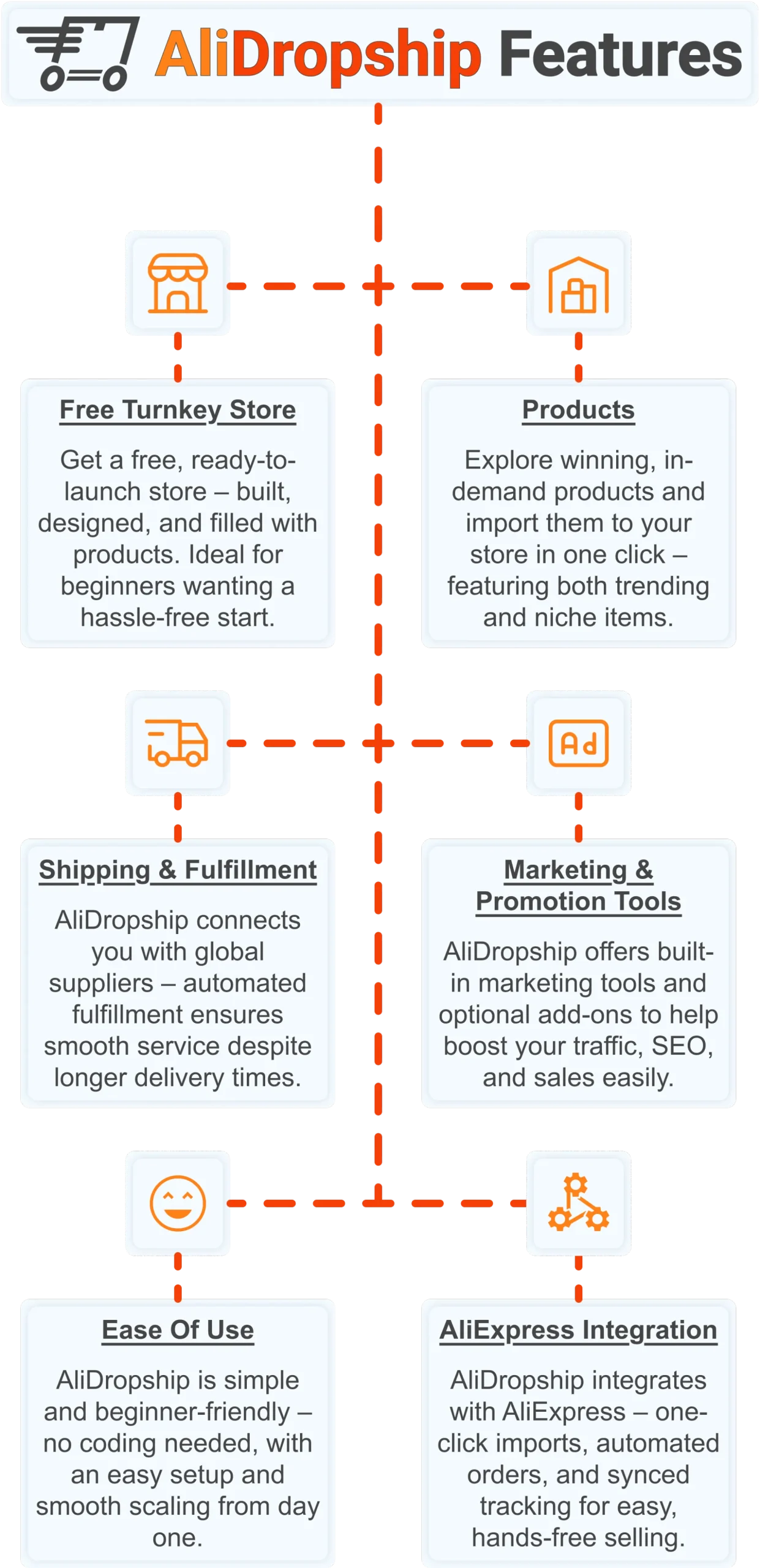
Free turnkey store 🛍️
Get a free turnkey store – built, designed, and filled with products. Ideal for beginners wanting a hassle-free start, the store comes fully optimized to attract customers right away, saving you time on setup. Plus, it includes professional design elements to give your business a polished, trustworthy look from day one. This ready-made foundation makes it easy to move seamlessly into product selection.
Products 📦
Once your store is set up, you can explore winning, in-demand products and import them in one click – featuring both trending and niche items. This wide selection lets you cater to diverse customer interests and test what works best. Regular updates ensure you always have fresh products, keeping your store competitive and relevant. With great products in place, smooth shipping becomes the next essential step.
Shipping & fulfillment 🚚
AliDropship connects you with global suppliers, and automated fulfillment ensures seamless order processing despite international delivery times. Customers receive real-time tracking updates, which builds confidence and trust in your store. Once shipping is handled reliably, you can focus on promoting your store and attracting traffic.
Marketing & promotion tools 📣
To maximize sales, AliDropship offers built-in marketing tools and optional add-ons that help boost traffic, SEO, and conversions. From email campaigns and discounts to social media integration, these tools empower you to reach and retain customers without needing prior marketing experience. With promotion strategies in place, managing your business becomes simpler and more efficient.
Ease of use 👌
AliDropship is beginner-friendly – no coding needed, with an intuitive dashboard that guides you through every step. Easy setup and smooth scaling let you expand your store without stress. As your business grows, adding new features, products, and marketing campaigns remains hassle-free, giving you more time to focus on sales.
AliExpress integration 🛒
Finally, AliDropship integrates seamlessly with AliExpress, enabling one-click imports, automated orders, and synced tracking. Your inventory stays up-to-date with the latest products and prices, while automated order processing frees you from manual tasks. Combined with the turnkey setup, reliable shipping, and built-in marketing tools, this integration ensures your dropshipping business is fully equipped for growth and success.
Understanding ecommerce payment processing is the first step – but a store that is already built, stocked, and payment-ready is how you start earning. Claim your free turnkey store and $100 welcome gift today.
What is ecommerce payment processing?
What is the best payment gateway for a new online store?
For most new online stores in 2026, Stripe is the top recommendation due to its flat 2.9% plus 30 cent per transaction pricing, fast onboarding, and strong fraud tools. PayPal is an excellent secondary option that adds trust for customers who prefer not to enter card details directly. Both charge no monthly fees, making them low-risk starting points. As your store scales past 10,000 dollars per month, it is worth comparing Adyen for its interchange-plus pricing model, which can reduce effective fees at higher volumes.
How much does ecommerce payment processing cost?
Standard ecommerce payment processing costs range from 2.5% to 3.5% plus a fixed fee of 25 to 49 cents per transaction, depending on the provider and your account volume. Additional costs include chargeback fees of 15 to 25 dollars per dispute, currency conversion fees of around 1 to 1.5% on international transactions, and monthly platform fees if applicable. Stripe and PayPal have no monthly fees for standard accounts. At 5,000 dollars per month in sales, expect to pay roughly 145 to 175 dollars in processing fees at standard rates.
How do I keep my online store payments secure?
The most effective way to keep payments secure is to use a gateway that handles card data off your server through tokenization, such as Stripe or PayPal. This keeps you outside the scope of complex PCI DSS requirements. Enable 3D Secure 2 authentication for high-risk transactions, which shifts fraud liability to the issuing bank. Monitor your fraud dashboard regularly and set up automated rules to flag orders with mismatched billing addresses or multiple failed card attempts. Never store raw card numbers in your own database under any circumstances.
How long does ecommerce payment processing take to settle funds?
Authorisation happens in seconds, but settlement – when funds actually reach your bank account – typically takes 1 to 3 business days with most major processors. Stripe deposits funds on a 2-day rolling basis for established accounts. PayPal holds funds for 21 days on new accounts before releasing them, then shortens this period as your account history builds. Some processors offer next-day or same-day settlement for an additional fee, which can be useful for cash-flow management in high-volume periods.