Best Ecommerce Payment Gateway Options In 2026

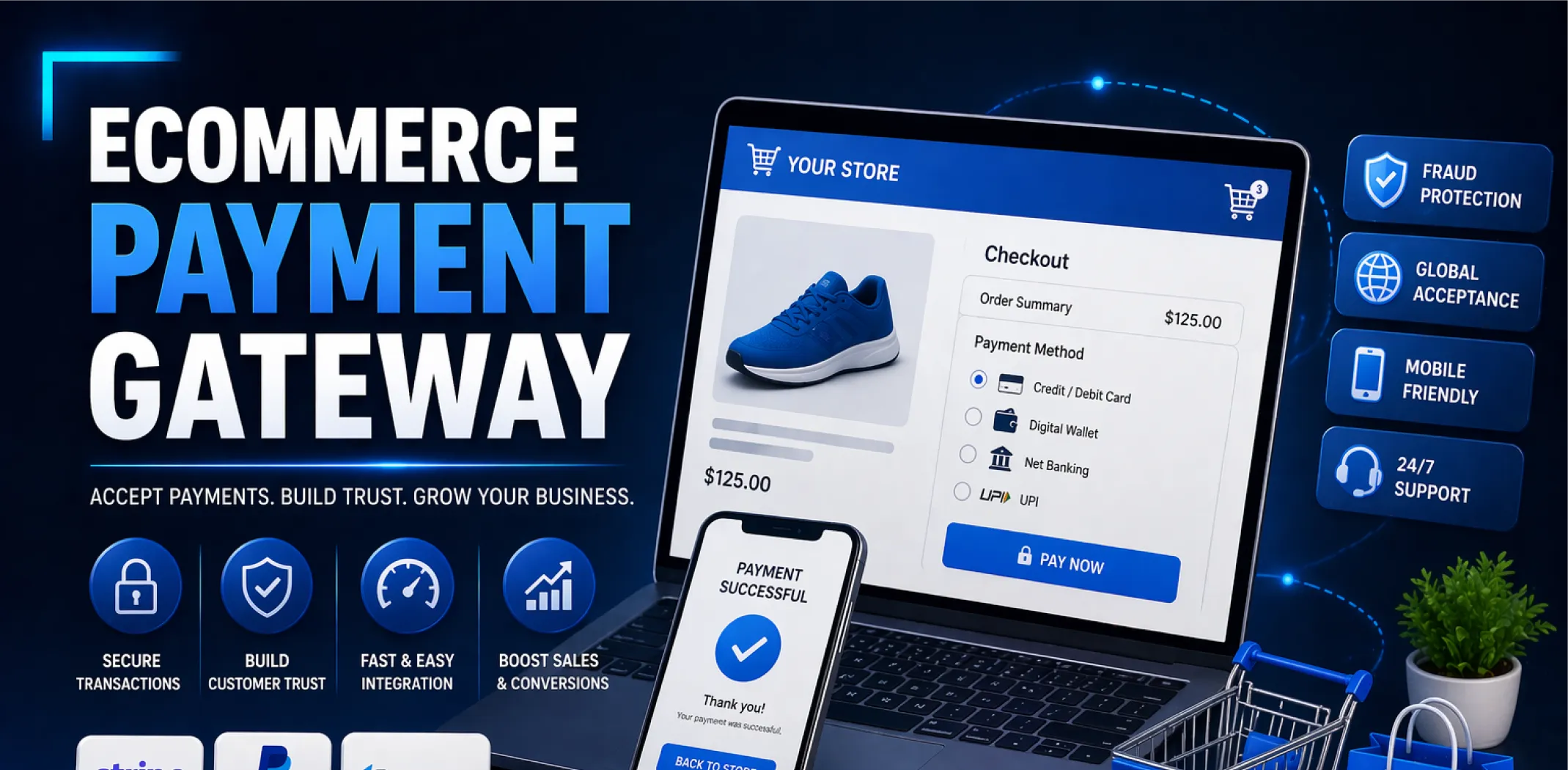
If you are setting up an online store in 2026, one of the first real decisions you will face is which ecommerce payment gateway to use. It sounds technical, but the choice you make here directly affects how much you earn, how many customers complete their purchase, and how smoothly your business runs day to day.
Get it wrong and you lose sales to high fees, clunky checkout flows, or blocked regions. Get it right and payments just work – invisibly, reliably, every time.
So what is the best ecommerce payment gateway right now? The short answer is: it depends on where you sell, what you sell, and how much volume you expect. Stripe and PayPal dominate for simplicity and global reach.
Shopify Payments wins if you are already on Shopify. And for dropshippers who want everything handled for them, there are turnkey options that bundle the store, products, and payments into one system from day one.
Quick Answer: The best ecommerce payment gateway in 2026 for most beginners is Stripe or PayPal – both support 40+ currencies, have transparent fees around 2.9% + $0.30 per transaction, and integrate with almost every major store platform.

What is an ecommerce payment gateway?
An ecommerce payment gateway is the technology that securely processes customer payments on your online store. When a shopper enters their card details and clicks “buy,” the gateway encrypts that data, sends it to the card network for authorization, and confirms the transaction back to your store – all in a few seconds. Without a gateway, there is no way to accept online payments at all.
Think of it as the digital equivalent of a card reader in a physical shop. The difference is that online, everything happens behind the scenes. The customer never sees the gateway itself – they just see a smooth checkout. But what happens under the hood has a huge impact on your conversion rate, your fees, and how fast money lands in your bank account.
In 2026, payment gateways do a lot more than just process cards. The best ones handle fraud detection, support buy-now-pay-later options, offer multi-currency checkout, and integrate with platforms like WooCommerce, Shopify, and custom-built stores with minimal setup. Choosing the right one from the start saves you a significant amount of hassle when you start scaling.
It is also worth knowing that a payment gateway is slightly different from a payment processor and a merchant account – though many modern providers bundle all three together. When people say “payment gateway,” they usually mean the full package: the interface, the processing engine, and the account that holds your funds.
How much does a payment gateway actually cost?
Fees are the part most new sellers underestimate. Every transaction runs through at least one fee layer, and those percentages add up fast once you have real volume. Here is a realistic breakdown of what the major ecommerce payment gateway options charge and what you can expect in terms of payout speed.
Most beginner stores will land between 2.9% and 3.5% per transaction all-in. On a $50 product sale, that is roughly $1.45–$1.75 per order. At 100 orders a month that is $145–$175 in gateway fees alone – not counting platform fees or ad spend. Understanding this early helps you price products correctly from the start.
One note on fee comparisons: The cheapest gateway is not always the best choice. Payout speed, fraud protection, currency support, and how well the gateway integrates with your store platform all factor into the real cost of doing business. A gateway that charges 0.2% less but holds funds for 7 days can hurt your cash flow more than the saving is worth.
Payout schedules vary too. Stripe pays out in 2 business days by default. PayPal can be instant to your PayPal balance. Shopify Payments typically settles in 1–3 business days. If you are running a dropshipping store where you need to pay suppliers quickly, payout speed matters as much as the fee rate.
The best ecommerce payment gateway options compared
There is no single winner here – the right ecommerce payment gateway depends on your store setup, your target market, and how technical you are willing to get. Below are the strongest options available in 2026, split by use case so you can match the right one to your situation.
Best all-round options for new stores
Stripe
Stripe is the most developer-friendly payment gateway available, but it has become genuinely beginner-accessible in recent years through its no-code integrations with WooCommerce, Squarespace, Wix, and almost every other major platform.
It supports 135+ currencies, handles subscriptions natively, and has some of the best fraud detection tools in the industry through its Radar product.
Setup takes under an hour for most store platforms. Payouts land in your bank account in 2 business days. Stripe is available in 46+ countries, though if you are in a market where Stripe is not available (parts of Southeast Asia, Africa, or Latin America), you will need an alternative. Transaction fee is 2.9% + $0.30 for standard card payments, with slightly higher rates for international cards.
Earning potential: No direct earnings from Stripe itself, but stores with well-optimized Stripe checkouts report 10–15% higher conversion rates vs. redirected payment flows, which directly translates to higher revenue per visitor.
PayPal
PayPal remains one of the most recognized checkout options in the world, which is its biggest advantage. Studies consistently show that displaying the PayPal button at checkout increases completed purchases – particularly among buyers aged 35 and over who associate PayPal with purchase protection.
If you are selling to a broad consumer audience, offering PayPal alongside your main gateway is worth the extra step.
On the downside, PayPal’s fees are higher than Stripe’s – 3.49% + $0.49 for standard transactions in 2026 – and its seller protection policies can be frustrating for dropshippers dealing with disputes. PayPal is best used as a secondary payment option rather than your only gateway. Pair it with Stripe or Shopify Payments for full coverage.
Why this works in 2026: PayPal has over 400 million active accounts globally. Even if just 20% of your customers prefer it, not offering it means losing those sales to checkout friction.
Shopify Payments
If your store is on Shopify, using Shopify Payments is a straightforward choice. It eliminates the extra transaction fee that Shopify charges when you use a third-party gateway (0.5%–2% depending on your plan), which alone makes it worth using. The checkout is natively integrated, so there is no redirect – customers pay without ever leaving your store page, which keeps conversion rates higher.
Shopify Payments is powered by Stripe on the back end, so the reliability and fraud tools are solid. It is available in around 20 countries as of 2026. If you are based outside those markets, you will need to use a third-party gateway – and budget for the extra Shopify transaction fee in your pricing.
Strong options for specific situations
Authorize.Net
Authorize.Net has been around since 1996 and remains a trusted choice for established stores that process high volumes. The monthly fee ($25) makes it uneconomical for stores doing fewer than 200–300 orders per month, but at scale the per-transaction costs become very competitive. It integrates well with WooCommerce and Magento and offers strong recurring billing tools for subscription businesses.
Important: Authorize.Net requires a separate merchant account, which adds setup time (typically 3–5 business days for approval). It is not the right choice if you need to start selling this week.
Klarna and Afterpay (buy-now-pay-later)
Buy-now-pay-later gateways are not full replacements for a standard payment gateway, but they are increasingly important add-ons. Klarna, Afterpay, and similar services allow customers to split purchases into instalments – and stores that offer BNPL options report average order value increases of 20–45% according to merchant data shared on Klarna’s own platform documentation.
The gateway takes on the credit risk; you get paid in full upfront.
These work best on stores selling products priced $50 and above, where the instalment option meaningfully reduces the psychological barrier to purchase. Most BNPL providers integrate as an additional payment method inside Stripe or Shopify Payments rather than as a standalone gateway.
Earning potential: Adding a BNPL option to an existing store can increase monthly revenue by $200–$800 for stores already doing $2,000–$5,000/month in sales, simply from higher conversion on higher-ticket items.
2Checkout (now Verifone)
2Checkout – rebranded as Verifone in recent years – is worth knowing about if you are selling to customers in regions where Stripe is not available. It supports 87 currencies and 200+ countries, making it one of the widest-reaching options for international sellers. The fees are higher (3.5% + $0.35 per transaction on the base plan), but for markets where alternatives are limited, it fills an important gap.
Payoneer
Payoneer is less of a traditional checkout gateway and more of a receiving and disbursement tool, but it comes up frequently in dropshipping circles because it works well for receiving marketplace payouts and paying overseas suppliers.
If your store earns through Amazon, Walmart, or similar platforms, Payoneer is worth setting up alongside your main gateway to simplify supplier payments and currency conversion.
How to choose the right payment gateway for your store
With so many options, narrowing it down comes down to four practical filters. Run your situation through each one and the answer usually becomes clear.
1. Where are you and where are your customers?
Your location determines what gateways you can even sign up for. Stripe is available in 46+ countries but not everywhere. PayPal is more widely accessible but has restrictions in certain markets too. Before you commit to any gateway, check its supported countries page for both merchant signup and customer payment – they are sometimes different lists.
If you are targeting customers in Europe, SEPA bank transfers and iDEAL (popular in the Netherlands) are worth supporting. In Southeast Asia, local wallets like GrabPay or GCash often outperform cards for conversion.
2. What platform is your store on?
Some gateways integrate natively with certain platforms and not others. Shopify Payments only works on Shopify. Many WooCommerce-specific gateways exist that do not support Shopify at all. Check the integration library of any gateway before signing up – a gateway that requires custom API work to connect to your store is a significant time and money cost for most beginners.
3. What is your expected monthly volume?
At low volumes (under $5,000/month), the difference between 2.9% and 3.5% is relatively small in absolute terms. Focus on setup ease, payout speed, and customer trust signals. At higher volumes ($10,000+/month), every 0.1% in fees is worth optimizing – that is when it becomes worth exploring negotiated rates with Stripe or considering a dedicated merchant account through Authorize.Net or a similar provider.
4. Do you need multi-currency support?
If you are running a dropshipping store targeting multiple countries, multi-currency checkout is a significant conversion booster. Shoppers are 70% more likely to complete a purchase when prices are displayed in their local currency, according to research cited in Stripe’s official documentation.
Both Stripe and Shopify Payments handle this well. PayPal does it automatically through currency conversion, though it takes a conversion fee cut in the process.
What to watch out for: Security, fraud, and compliance
Payment gateways operate in a heavily regulated space, and as a store owner you have legal and ethical obligations that go beyond just picking a low-fee provider. Here is what matters most.
PCI DSS compliance
Any store that accepts card payments needs to be PCI DSS compliant – a set of security standards designed to protect cardholder data. The good news is that modern hosted gateways like Stripe and PayPal handle PCI compliance on their end, so you are not storing raw card data on your own server.
If you use a self-hosted checkout, the compliance burden is significantly higher. Stick to hosted or embedded checkout forms unless you have a developer who understands PCI requirements.
Key principle: Never store raw card numbers on your own server or database. Use a gateway that tokenizes card data – Stripe, PayPal, and Shopify Payments all do this by default.
Fraud prevention
Chargebacks are one of the most common and costly problems for online stores. A chargeback happens when a customer disputes a transaction with their bank – the funds are reversed and you often pay a fee of $15–$25 per incident on top. Stripe Radar uses machine learning to flag suspicious orders before they are processed.
Shopify has its own fraud analysis built into the order dashboard. Use these tools – do not just approve every order manually and hope for the best.
Important: A chargeback rate above 1% can result in your merchant account being suspended by your gateway provider. Monitor this metric monthly from the start.
What to avoid
Some practices might seem like smart shortcuts but can get your gateway account permanently banned.
Do not process test orders through your live account to generate fake sales history. Do not use someone else’s business identity to open a gateway account. Do not use a gateway to process payments for products that are prohibited under its terms of service – this varies by provider but commonly includes certain supplements, adult content, firearms, and high-risk financial products.
Read the acceptable use policy before you commit.
Which payment gateway should you pick? Recommendations by profile
Here is a practical summary based on where you are right now.
Complete beginner
If you are starting your first online store and have never touched a payment gateway before, go with Stripe or Shopify Payments. Both have excellent documentation, beginner-friendly dashboards, and are supported natively by every major store platform.
Stripe is slightly more flexible if you plan to grow beyond a single platform. Shopify Payments wins if you are already committed to Shopify. Set up PayPal as a secondary option to capture the segment of buyers who prefer it. Do not overthink this – get started, and switch or add providers later as your needs evolve.
Intermediate / part-time seller
If you are already selling and doing $2,000–$8,000/month, the focus shifts to optimization. Review your current chargeback rate, payout speed, and whether multi-currency checkout would help you expand into new markets. Consider adding a BNPL option like Klarna or Afterpay if your average order value is above $50.
If you are on WooCommerce, make sure you are using a gateway with native integration rather than a redirect-based checkout, which typically drops conversion by 10–20%.
Advanced / full-time goal
At $15,000+/month in revenue, gateway fees become a meaningful line item. At this point it is worth contacting Stripe directly about negotiated rates – this is possible once you are processing above $80,000–$100,000/month.
It is also worth separating your payment processing from your fraud management, using a dedicated tool like Signifyd or Kount alongside your main gateway for more granular control. For stores with international reach, a multi-gateway setup – where different payment methods route to the most appropriate provider for each market – can add 5–10% to net revenue.
The ecommerce payment gateway market is evolving fast in 2026, with embedded finance, instant payouts, and AI-powered fraud detection becoming standard features even in entry-level plans. Starting with a solid foundation now puts you in a strong position to take advantage of those tools as they roll out.
AliDropship: Your complete all-in-one solution for starting dropshipping in 2026
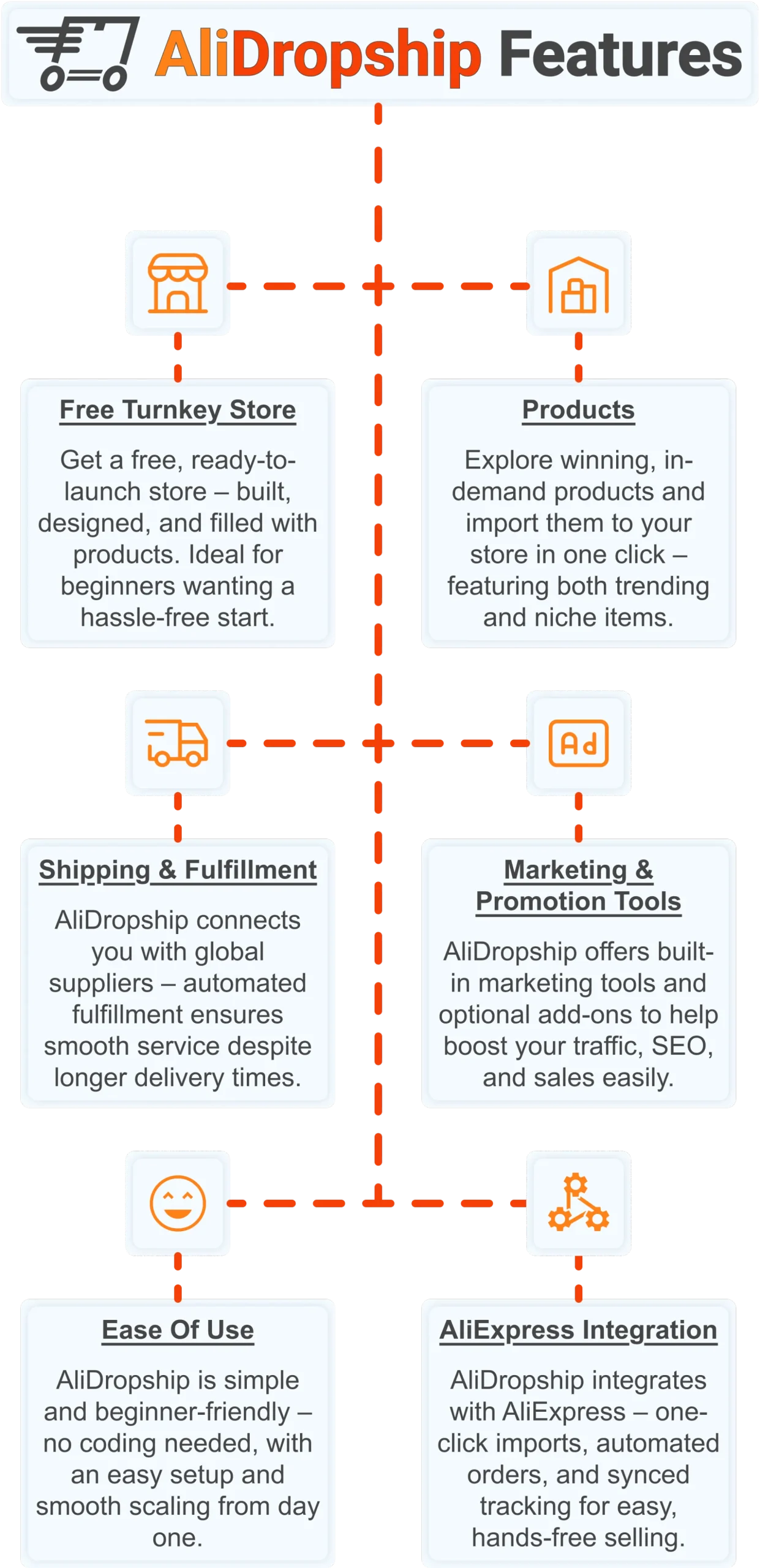
If you want the simplest possible way to start dropshipping – especially if you’re brand new – AliDropship remains one of the most beginner-friendly tools available in 2026. It brings together store creation, product imports, automation, and marketing into a single streamlined system designed to help you launch quickly and grow confidently.
Free turnkey store 🛍️
Get a free turnkey store – built, designed, and filled with products. Ideal for beginners wanting a hassle-free start, the store comes fully optimized to attract customers right away, saving you time on setup. Plus, it includes professional design elements to give your business a polished, trustworthy look from day one. This ready-made foundation makes it easy to move seamlessly into product selection.
Products 📦
Once your store is set up, you can explore winning, in-demand products and import them in one click – featuring both trending and niche items. This wide selection lets you cater to diverse customer interests and test what works best. Regular updates ensure you always have fresh products, keeping your store competitive and relevant. With great products in place, smooth shipping becomes the next essential step.
Shipping & fulfillment 🚚
AliDropship connects you with global suppliers, and automated fulfillment ensures seamless order processing despite international delivery times. Customers receive real-time tracking updates, which builds confidence and trust in your store. Once shipping is handled reliably, you can focus on promoting your store and attracting traffic.
Marketing & promotion tools 📣
To maximize sales, AliDropship offers built-in marketing tools and optional add-ons that help boost traffic, SEO, and conversions. From email campaigns and discounts to social media integration, these tools empower you to reach and retain customers without needing prior marketing experience. With promotion strategies in place, managing your business becomes simpler and more efficient.
Ease of use 👌
AliDropship is beginner-friendly – no coding needed, with an intuitive dashboard that guides you through every step. Easy setup and smooth scaling let you expand your store without stress. As your business grows, adding new features, products, and marketing campaigns remains hassle-free, giving you more time to focus on sales.
AliExpress integration 🛒
Finally, AliDropship integrates seamlessly with AliExpress, enabling one-click imports, automated orders, and synced tracking. Your inventory stays up-to-date with the latest products and prices, while automated order processing frees you from manual tasks. Combined with the turnkey setup, reliable shipping, and built-in marketing tools, this integration ensures your dropshipping business is fully equipped for growth and success.
Picking the right ecommerce payment gateway is important – but it is only one piece of the puzzle. Get your free turnkey store today and launch with everything already in place.
What is the best ecommerce payment gateway for beginners?
How much does an ecommerce payment gateway cost?
Most payment gateways charge a percentage of each transaction plus a fixed fee. Stripe and Square both charge 2.9% plus 30 cents per transaction. PayPal charges slightly more at 3.49% plus 49 cents for standard transactions in 2026. Authorize.Net charges a similar per-transaction rate but also requires a 25 dollar monthly fee, which only becomes cost-effective at volumes above 200 to 300 orders per month. There are generally no setup fees for major providers, though some older or enterprise-focused gateways may charge them.
What is the difference between a payment gateway and a payment processor?
A payment gateway is the technology that securely transmits card data from the customer to the card network and back. A payment processor is the service that actually moves the money between the customer bank and your merchant account. In practice, most modern providers like Stripe and PayPal bundle both functions together, so the distinction rarely matters for new store owners. What matters most is that the provider handles both roles reliably, supports your target markets, and integrates cleanly with your store platform.
Which payment gateway is best for dropshipping stores?
For dropshipping stores, Stripe is the most flexible option because it integrates with WooCommerce, Shopify, and most other platforms while supporting global currencies. Shopify Payments is the strongest choice for Shopify-based stores specifically, as it avoids the extra transaction fee and offers a fully native checkout experience. PayPal is worth adding as a secondary option since many buyers prefer it for the purchase protection it offers. Stores targeting markets where Stripe is not available should look at 2Checkout or a local provider with similar multi-currency support.
Can I use multiple payment gateways on one ecommerce store?
Yes, and for most stores it is recommended. Using two payment methods – for example, Stripe as the primary card gateway and PayPal as a secondary option – captures buyers who prefer one method over the other and can increase overall conversion rates by 8 to 15 percent. The setup is straightforward on platforms like Shopify and WooCommerce, which support multiple active payment providers simultaneously. The main thing to watch is that you do not create a confusing checkout experience by offering too many options at once – 2 to 3 methods is typically the sweet spot for most stores.