

Copilot AI

Copilot AI is not just a chatbot; it is a sophisticated orchestration engine developed by Microsoft. It functions by connecting powerful Large Language Models (LLMs) with your specific business data – stored in the Microsoft Graph – and the vast information available on the internet.
We have moved past seeing AI as a novelty tool. It has now become a fundamental workplace OS layer. For a business, this means the AI doesn’t just sit on a website waiting for a question; it lives inside your spreadsheets, your emails, and your meeting rooms.
The primary goal of Copilot is to eliminate the drudgery of work. By handling repetitive tasks like summarizing hour-long meetings or analyzing massive sales reports, it frees up human employees to focus on creative strategy.
The genesis & evolution
The story of Copilot began with a massive partnership between Microsoft and OpenAI back in 2019. However, the world truly took notice in early 2023 when Bing Chat was launched. At that time, many saw it as just a better search engine. Quickly, Microsoft realized that the true power of this technology wasn’t in searching the web, but in helping people work.
By 2024, Microsoft made a bold move: they retired Cortana, their old voice assistant, and rebranded their entire AI effort under the «Copilot» name. This wasn’t just a name change. It was a complete shift in how software is built. They took the lessons learned from GitHub Copilot – which was already helping programmers write code 50% faster – and applied those principles to office work.
We are now in the era of the Copilot+ PC. This means computers now have special chips (called NPUs) designed specifically to run AI locally. This evolution shows that Microsoft isn’t treating AI as an add-on but as the very heart of modern computing.

How Copilot AI works
The distinction between consumer-facing AI and workplace AI becomes clearer when examining the two primary ways Copilot processes information:
1. Local AI (Copilot+ PC)
The new generation of Copilot+ PCs shifts many AI tasks from the cloud to the device itself. Small Language Models (SLMs) can now run directly on your laptop’s hardware, creating a hybrid model that combines local and cloud-based processing.
2. What NPUs enable
The inclusion of an NPU (Neural Processing Unit) allows certain AI tasks to run locally with minimal lag, even when internet connectivity is limited. For supported scenarios, sensitive data can be processed on-device without being sent to a cloud server, improving both responsiveness and privacy.
Product tiers: Copilot vs Copilot Pro vs Microsoft 365 Copilot
Microsoft’s Copilot ecosystem for productivity breaks down into three main experiences: the free Copilot web/app experience, Copilot Pro for individuals, and Copilot for Microsoft 365 for organizations.
Copilot (free)
- Target: Individual consumers and casual web users;
- Capability: Provides web-grounded chat, basic document/image handling, and image generation in the browser and mobile apps;
- Use case: Best for quick research, brainstorming, and light drafting tasks such as emails or social posts, without deep integration into your personal files and email.
Copilot Pro
- Target: Freelancers, prosumers, and power users who already have a Microsoft 365 Personal or Family subscription;
- Capability: Adds priority access to more advanced models and unlocks deeper Copilot features inside Microsoft 365 apps like Word, Excel, PowerPoint, Outlook, and OneNote for your personal account;
- The gap: Copilot Pro is focused on an individual’s personal Microsoft account; it is not designed to reason over a whole organization’s content or coordinate workflows across multiple employees the way business/enterprise offerings do.
Microsoft 365 Copilot (business and enterprise)
- Target: Small businesses, mid‑market, and enterprises that use Microsoft 365 for work;
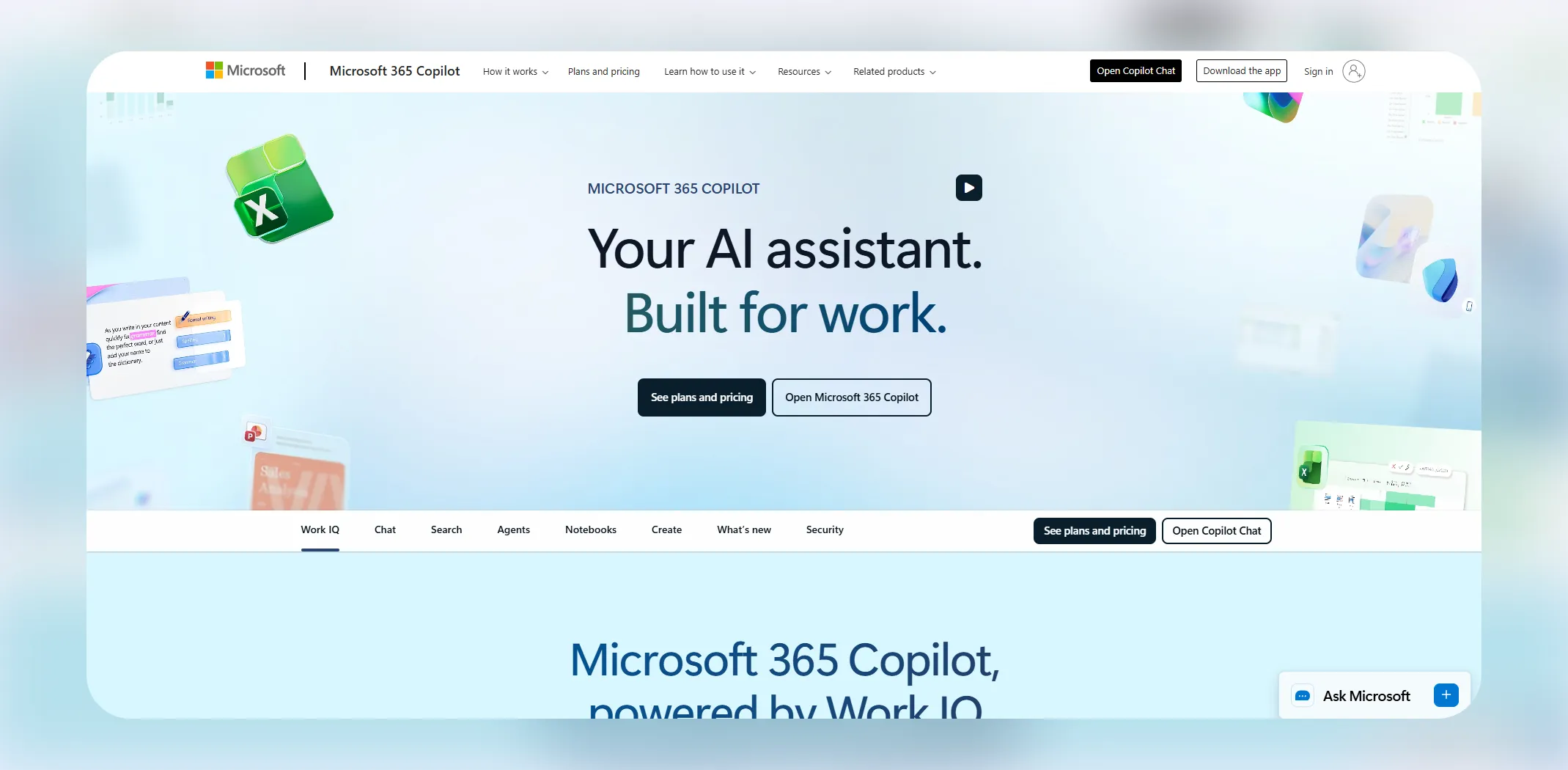
- The Work IQ difference: Uses your organization’s Microsoft 365 data (emails, documents, meetings, chats) through Microsoft Graph to provide richer work context – such as summarizing Teams meetings, drafting based on shared documents, and aligning with organization content and permissions;
- Integration: Can be combined with tools like Copilot Studio (licensed separately) so IT and business teams can build custom copilots/agents over company knowledge bases and business systems.
Copilot Studio and custom bots
Copilot Studio provides a way to meet different businesses needs without needing to hire expensive software developers. You can «feed» Copilot Studio your company’s specific handbooks, HR policies, or technical manuals.
Example: An HR department builds a vacation bot. Instead of emailing HR, an employee asks the bot, «How many days of leave do I have left, and what is the policy for carry-over?» The bot checks the specific employee’s record and the company PDF and gives an instant, accurate answer.

Enterprise architecture: Security & grounding
To understand why Copilot is safe for a big company to use, we have to look under the hood. In the enterprise version of Copilot, data leakage is impossible due to the Microsoft 365 Trust Boundary.
The technical stack
The architecture is built on a four-layer stack:
- User experience layer: The interface (Teams, Excel, Word);
- Orchestration layer: The Brain that manages the flow of data;
- Knowledge & skills: The Semantic Index and Microsoft Graph;
- Foundation model: The underlying LLMs (GPT-4o or GPT-5).
The Prometheus model
When you ask Copilot a question, it uses a system called Prometheus. This system takes your question and grounds it.
Grounding: Imagine asking, «What was our profit last Tuesday?» A standard AI might hallucinate (make up) a number. Copilot, however, uses the Semantic Index to look through your actual Excel files and emails first. It finds the «ground truth» before the AI ever starts writing its response.
The Microsoft Graph & tenant isolation
The brain of your company’s data is the Microsoft Graph. This is a secure map of how everything in your company is connected – who sent which email to whom, which files are related to which projects, and what is on your calendar today. Copilot has read access to this graph, but only for things you already have permission to see. If you aren’t allowed to see the CEO’s salary file, Copilot can’t see it either.
Your data stays in your «tenant» (your private company cloud). Microsoft explicitly promises that your data is not used to train the global AI models. Your secrets stay yours. It is like having a genius consultant who has read every document in your office but is legally forbidden from ever leaving the building or talking to anyone else.
GitHub Copilot: The technical backbone
While Microsoft 365 Copilot focuses on knowledge work (emails, docs, and meetings), GitHub Copilot serves as the gold-standard engine for the technical side of the business. Launched as the pioneer of the Copilot brand, it has evolved from a simple «autofill for code» into a comprehensive AI Pair Programmer.
Benefits for ecommerce merchants
While many ecommerce owners never write a single line of code, GitHub Copilot often serves as the underlying engine ensuring the smooth technical operation of a dropshipping store.
For instance, when a new payment gateway or a major social media API – such as a TikTok Shop update – is released, developers leverage Copilot to handle the integration in mere hours rather than days.
Beyond just adding new features, the AI also plays a critical role in performance optimization by analyzing a website’s backend to identify heavy or inefficient code that slows down page load times. Since a mere one-second delay in loading can result in a 7% drop in conversions, Copilot serves as a vital tool for developers to prune that code and maintain a lightning-fast checkout experience.
6 ways Copilot is redefining digital retail
For ecommerce businesses, time is literally money. Managing thousands of products, responding to hundreds of customer queries, and trying to predict what will sell next month is exhausting. Copilot is now being used as a retail engine to solve these specific problems.
1. Conversational commerce
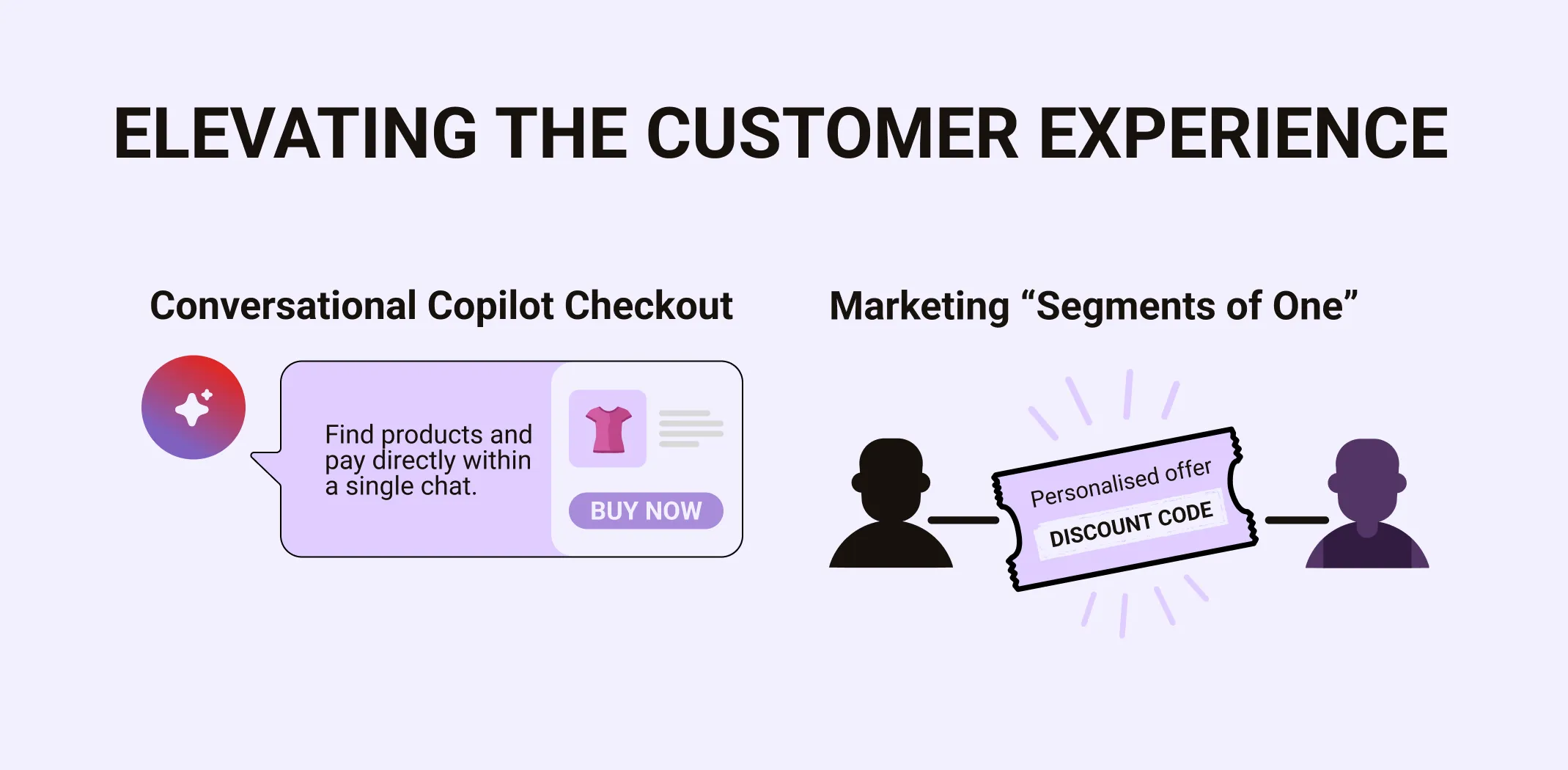
A major breakthrough called Copilot Checkout has changed how people shop. Instead of clicking through a website, a customer can just talk to Copilot.
Example: A customer says, «I need a waterproof jacket for a hiking trip in Scotland next week.» Copilot looks at the weather in Scotland, searches your store’s inventory, suggests three jackets, compares their weights, and – here is the big part – allows the customer to pay right there in the chat. Through partnerships with Shopify and Stripe, the friction of shopping is gone. The customer never has to leave the conversation to find a «Buy Now» button.
2. Personalized marketing at scale
Marketing usually involves segments (e.g., «People who like shoes»). Copilot allows for Segments of One. By looking at a customer’s previous interactions, Copilot can help you draft a personal discount offer that feels like it was written by a human who knows them. Because it works inside Dynamics 365, it can see the full history of that customer while you are drafting a response in Outlook.
3. Creative media & brand identity
In the context of ecommerce, Copilot has moved into the Visual Merchandising space. Within apps like Microsoft Designer, merchants can now use «Brand Kits» to ensure that every AI-generated image – from Instagram posts to banner ads – uses the exact hex codes and logo placements unique to their store.
This creates a Creative Copilot that understands not just how to make a pretty image, but how to make an image that sells based on your specific brand’s aesthetic.
4. Copilot for customer support
Unlike generic support bots, a Brand Agent built in Copilot Studio is a specialized entity designed to live on your storefront.
- Contextual intelligence: Because it is grounded in your specific product catalog and brand voice guidelines, it doesn’t just answer questions; it sells. If a customer asks, «Do these boots run large?», the agent checks your internal sizing feedback and previous return data to give a confident, accurate answer.
- Brand voice consistency: You can instruct your agent to be playful and trendy or formal and luxury-focused. It maintains this persona across every interaction, ensuring your brand identity remains intact even during high-traffic sales events.
Solving the dispute gap
The true power of an Enterprise Copilot in customer service is its read access to your business’s Microsoft Graph. This allows the AI to handle complex post-purchase issues that would normally require a human agent.
Scaling without headcount
For a growing dropshipping business, the support tax usually grows as sales grow. Copilot breaks this link.
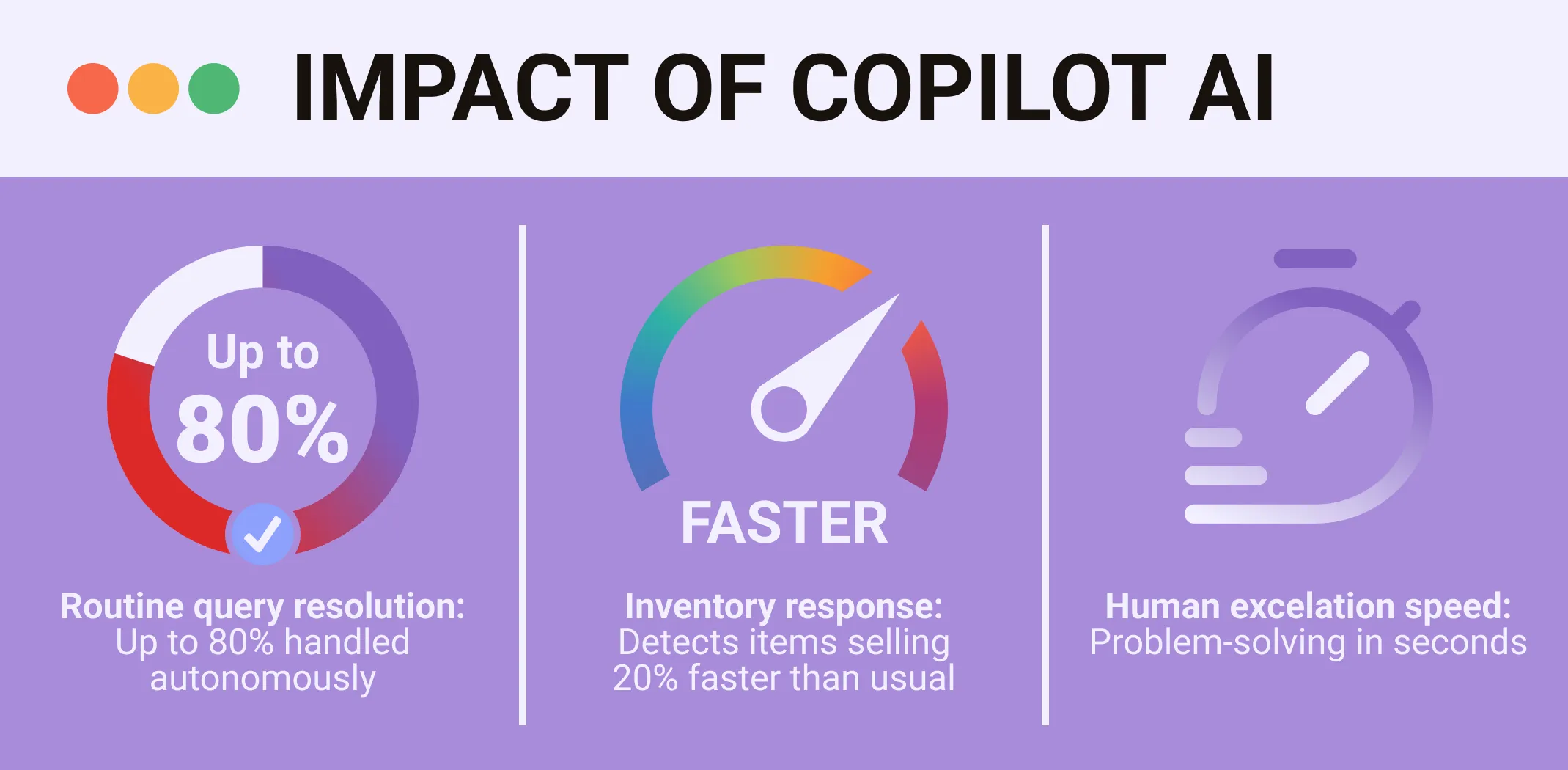
- Autonomous resolution: Copilot agents can handle up to 80% of routine queries – tracking orders, processing simple returns, and answering product specs.
- Seamless escalation: When a problem becomes too complex (e.g., a high-value fraud claim), Copilot doesn’t just pass the buck. It creates a Meeting Summary for the human agent, highlighting the customer’s frustration level and summarizing the entire chat history so the human can step in and solve the problem in seconds, not minutes.
5. Dynamic product descriptions and catalog management
If you have 5,000 items in your store, writing SEO-friendly descriptions for all of them is a nightmare. Copilot can now take a technical spreadsheet or even just a photo of a product and write a high-quality, persuasive description in seconds. It doesn’t just write text; it tags the product with metadata that helps it show up in search results. This allows small ecommerce teams to act like giant corporations.
6. Supply chain and inventory intelligence
The Fulfilment Agent is a specialized version of Copilot that monitors your stock levels in real-time.
Normally, you only know you’re out of stock when a customer complains. Meanwhile Copilot can see that a specific item is selling 20% faster than usual. It can then draft an email to your supplier, ask for a quote for 500 more units, and present that email to you for approval. It turns a reactive process into a proactive one.
The evolution of store operations: The Store Ops Agent
Beyond the customer-facing side, Microsoft has introduced the Store Operations Agent template. This is a private, internal-only Copilot designed to help store owners and managers keep the lights on.
Deep dive: Copilot in Microsoft 365 apps
This is where most employees will feel the impact of Copilot every day. It isn’t just about chatting; it is about the AI living inside the buttons you already click.
Excel
Excel is famously difficult for non-experts. Copilot changes this by allowing you to talk to your data.
- How it differs from traditional Excel use: Instead of learning how to write a =VLOOKUP or a complex Pivot Table, you can simply type: «Show me a trend line of our sales growth over the last six months and highlight any anomalies.»
- How it works: Copilot writes the Python code or the formulas in the background and creates a chart for you. It even explains why it thinks a certain data point is an anomaly (e.g., «This spike coincides with your Black Friday campaign»).
Word
Traditional legal drafting tasks, such as creating vendor contracts or refund policies that once required hours of manual effort, can now be initiated through conversational prompts. Copilot AI can review existing documents to flag potential conflicts with updated retail laws or GDPR standards, highlighting high-risk areas that require a final human legal review to ensure the business remains fully protected.
Teams
We have all been in meetings where we spent more time writing notes than listening. Copilot in Teams acts as a Meeting Facilitator.
- Real-time help: If you join a meeting 10 minutes late, you can ask, «What has been discussed so far?» and get a bulleted summary.
- Post-meeting: Within seconds of a meeting ending, Copilot generates a Recap including a list of «Action Items» and who is responsible for each. It even tracks the «sentiment» – noting if the team seemed frustrated or excited about a specific topic.
Outlook
For a business leader, the inbox is often a source of stress. Copilot offers a feature called Sound Like Me.
Example: You receive a long, angry email from a client. You can tell Copilot: «Draft a polite reply, acknowledge their frustration, mention that we are working on the fix, and suggest a call for tomorrow morning. Use my professional but friendly tone.» Copilot doesn’t just give you a template; it looks at your previous sent emails to match your specific writing style.
Deployment & ROI: The business case
Deciding to buy Copilot for a whole company is a big financial decision. At roughly $30 per user per month for the enterprise version, managers need to see a Return on Investment (ROI).
Calculating value
The value isn’t just in saving time; it’s in quality of work. Some critics say, «My employees already know how to write emails.» The goal isn’t just to write the email, but to ensure the email is backed by data. If an employee spends 2 hours hunting for data to put in an email, and Copilot finds it in 2 seconds, the company has just bought back 2 hours of that employee’s brainpower for higher-level strategy.
Change management
The biggest hurdle isn’t the technology – it’s the people. Using Copilot requires a new skill called Prompt Engineering. This is the art of giving the AI the right context. A bad prompt («Write a report») gives a bad result. A good prompt («Write a 3-paragraph summary of the attached Q3 sales data for the board of directors, focusing on the decline in European sales») gives a professional result.
Privacy, security, and compliance
We must address the elephant in the room: What happens if the AI makes a mistake? Or what if it uses a copyrighted image?
The Copyright Commitment
Microsoft has made a bold Copilot Copyright Commitment. If a business user is sued for copyright infringement because of something Copilot generated, Microsoft will step in and handle the legal defense, provided the user was using the built-in safety filters. This is a massive safety net for ecommerce brands worried about AI-generated marketing materials.
Data Minimization
Copilot follows a Data Minimization policy. This means it only stores what it absolutely needs to. Session data is often cleared immediately after a task is finished. For regulated industries like Finance or Healthcare, this is crucial for meeting GDPR or HIPAA standards.
The shift from searching to prompting
The biggest implication of Copilot AI is that we are moving away from being operators of software. We used to have to learn where every button was in Excel or how to navigate a complex CRM. Now, we are becoming directors. We tell the software what we want to achieve, and the software handles the how.
For an ecommerce business, this means you can scale your operations without necessarily scaling your headcount. You can handle more customers, more products, and more complex data because you have a digital co-pilot handling the heavy lifting.
Are you ready to become an owner
of a profitable online business?
Free Dropshipping Guide